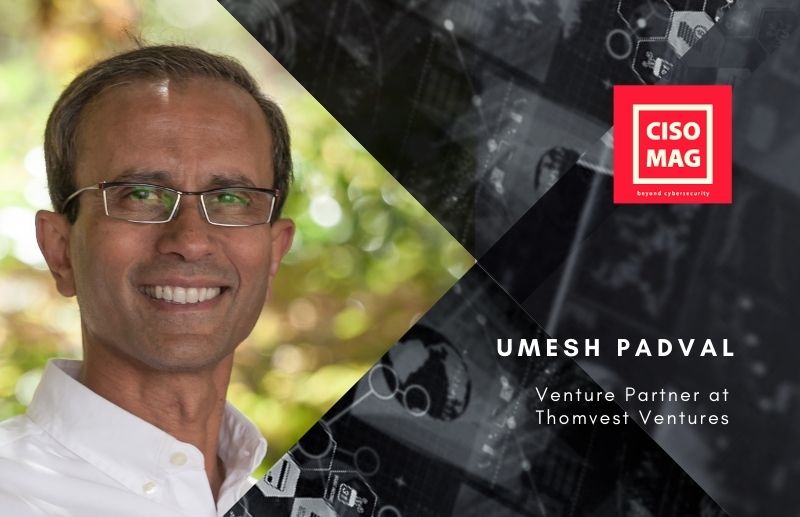
In an exclusive interview with Brian Pereira of CISO MAG, Umesh Padval, Venture Partner at Thomvest Ventures shares his thoughts on the current and future state of cybersecurity from a VC perspective. He also tells us about the type of companies he would like to invest in during 2021, and the potential he sees in Indian companies. Thomvest has an extensive network of CIOs and CISOs and Umesh tells us what the C-suite is looking for in terms of cybersecurity skills and technical prowess.
Thomvest Ventures is based in San Francisco, California, and has invested in companies like Thousandeyes, Lastline, Shiftlift Inc., and more recently, in Harness.io.
Umesh has a keen insight as he has been actively investing in the cybersecurity and cloud infrastructure space over the last 5 – 7 years.
Umesh has served on over 30 public and private company boards, bringing extensive operating experience and skill set valued by CEOs and founders. He currently serves as a Board Member at Avalanche Technology, Bolster, ShiftLeft, and Tactus Technology and Impinj (public company), and as a Board Observer at Clari and ShieldX. He is also an investor in Baffle and Harness.
Prior to joining Thomvest, Umesh was a successful entrepreneur, investor, and CEO of a public company. He most recently worked for over eight years at Bessemer Venture Partners in their Menlo Park offices. Prior to Bessemer, he was an Executive Vice President at LSI after its acquisition of a public video infrastructure and distribution company in C-Cube Microsystems, where he served as President and CEO.
BP: With increased cybersecurity incidents last year, demand for cybersecurity professionals soared. And the valuation of cybersecurity companies, especially startups, should have skyrocketed. But why did investors, particularly for early-stage, hold back?
Umesh: Venture investments in cybersecurity and cloud Infrastructure accelerated in the second half of 2020, across all stages and exits. This was driven by the increase of remote work during the COVID-19 pandemic. Remote work forced enterprises to accelerate their already in-progress transition to the cloud and digitization. The first half of 2020 started off well, but as the pandemic hit in late February and early March, investors became very cautious as to its impact on companies and paused their investments — or even bailed out of committed investments.
We, just like other venture firms, assessed the impact first on our existing portfolio companies. We took appropriate actions to react to the impact of the pandemic over the first 3 to 4 months and made sure they were well-funded so that they would come out stronger post-pandemic. As we got comfortable with our existing portfolio companies, we began focusing on new early-stage investments. One obstacle we had to overcome was becoming comfortable investing in startups over Zoom meetings, without a single in-person meeting. In-person meetings have always been key for fully evaluating a team. Over time, we got comfortable and started investing again. As you saw, there was a massive amount of capital invested in all stages of private companies, and many were sold or went public. Overall, the 1H20 investments were lower due to the pandemic, but then accelerated in 2H20 with a vengeance.
BP: Companies accelerated their digital transformation plans during the pandemic, as business models changed, and supply chains were disrupted. While many rushed to adopt cloud, it threw up new cloud security issues. This was attributed to misconfigurations, over or under-provisioning. Analysts say that there will be a recalibration this year. What do you think will happen on the cloud security front? How will technology like secure containers, threat intelligence, and AI help?
Umesh: The move to the cloud happened overnight when employees started working from home. The only way remote work would “work” was to adopt cloud-based tech versus on-premise infrastructure. When that happened, CIOs and CISOs had to suddenly deal with all kinds of security issues and policies, which they had not planned for. This opened up massive opportunities for bad actors to infiltrate enterprises demanding ransomware or accessing large amounts of sensitive data.
The most infamous one was the SolarWinds hack in December — the impact of which we will not know for many months to come. However, CISOs across all sectors have had almost a year to develop cybersecurity strategies to make the enterprises secure and safe. This accelerated the adoption of new platforms from cybersecurity and cloud infrastructure companies with increased cybersecurity spend. It was a major boom to innovative companies in this space, and many of our portfolio companies benefited from this.
Looking into 2021, this trend will continue and perhaps accelerate. The adoption of containers driven by Kubernetes and container security, all workload protection in the hybrid and multi-cloud environment, the digital identity and privilege management platforms, and the governance and compliance platforms driven by privacy issues will accelerate in 2021. ML/AI has become a major horizontal technology used by all technology companies in every vertical to increase the productivity and efficiencies of businesses and will continue for a long time.
BP: What types of startups do you want to invest in this year? What kind of security technology and skills are you looking for in these companies?
Umesh: In the cloud infrastructure space, we are focused on software development platforms. There are over 25 million software developers around the globe developing and releasing multiple software releases a day, compared to one or two releases per year, 10 years ago. This is in response to their customers’ desire for more features and capabilities. This acceleration provides a massive opportunity for companies to automate the software development process, to allow creative developers to release their products faster.
In January 2021, we invested in Harness.io which is a market leader in providing the best in class rapid automated software delivery (CI/CD) platform via integration with best in class tools. Another company in our portfolio, Shiftleft Inc., integrates security into this DevOps automation platform, enabling software developers to secure the code in their development and release process. We will continue to look at more opportunities in this space.
We also believe there is a large opportunity in the digital identity and privilege management space for hybrid and multi-cloud environments. The use of APIs has skyrocketed, especially in the API security space. We are so excited that Thomvest has been focused on cybersecurity and cloud infrastructure space over the last 5–7 years, which provides tremendous opportunities to invest in companies.
BP: As you interact with CISOs, what are the security skills they look for when hiring staff?
Umesh: We have an extensive network of advisor CIOs and CISOs who are looking at two things:
- People with the right cybersecurity skillset. But that pool of talent is very small relative to the needs in the market. The best way to address that problem is using the latest cybersecurity platforms to automate as much vulnerability management on the secondary security alert and complement it with the scarce security analysts’ talent to identify and proactively fix the most critical high priority alerts in the enterprises.
- Long term, we need colleges and universities to focus on educating and graduating new security talent to help fill the void for small and large companies. Secondly, companies need to implement formal training programs to continue to educate and train their talented employees as the sector continues to evolve on a daily basis.
BP: Why do we see security startups flourishing in pockets like Israel? What drives such communities?
Umesh: Israel is second only to the Bay Area for security talent and startups. Most of these entrepreneurs in Israel come from the Israeli Defense Forces, which has developed many sophisticated cybersecurity platforms for its defense industry. The mandatory military service for all Israeli residents has created a well-trained cybersecurity workforce. Combined with an incredible entrepreneurial culture and the “can do” attitude of the people, Israel has created amazing cybersecurity companies. As more and more companies exit over time, there will continue to be a large pool of security talent in Israel over the years. This talent, along with entrepreneurial risk and venture capital available in Israel, is why they are and will be a global force in cybersecurity.
BP: What about India? Do you see promising cybersecurity startups here? Can you comment on local talent?
Umesh: With over a billion people, India is very promising. The country’s cultural focus on education, combined with high-quality engineering schools like the IITs around the country, has educated a massive workforce of software and hardware professionals. They are a global force in software and technology development for enterprise software and have an entrepreneurial risk-taking culture as well. There are many CEOs at top cybersecurity and software companies in the U.S. who are of Indian origin and act as mentors. However, India does not yet have the DNA for cybersecurity and a skilled workforce to create a critical mass of talented entrepreneurs in cybersecurity. As more and more security companies open small offices and development centers in India, we see a bright future for cybersecurity startups in the next 3–5 years.
BP: What are the risks you see in cybersecurity startups and what kind of startups do you avoid?
Umesh: The cybersecurity market is massive and competitive; there are over 1,500 companies and over 18 subsegments in this space. Expect a few companies in each of the subsegments to break out and have a massive exit. The rest will either not succeed or will be sold for low to modest value. We look at companies with successful repeat or amazing new founders solving a major CISO pain point in a large market. But when you invest early in startups, it is all about team, team, team!
 About the Author
Brian Pereira is the Editor-in-Chief of CISO MAG. He has been writing on business technology concepts for the past 26 years and has achieved basic certifications in cloud computing (IBM) and cybersecurity (EC-Council).
References:





 Sridhar S. heads the Managed Services businesses of Cloud, Hosting and Security for Tata Communications. He has been in the IT industry for nearly 30 years and has held several leadership roles in blue-chip companies such as Dell, IBM, Intel, and HCL, working across markets such as India, Asia, and the U.S. He is based in Bangalore, India.